

What's New In 26R3.0
This topic provides information about the Veeva CRM 26R3.0 release, including important dates and release announcements.
All dates listed are subject to change.
Dates to Remember
- November 12, 2026 – Release Notes available
- November 19, 2026 – Sandbox Release
- December 3, 2026 – Production Release
Release Notes
The following items are now available:
- What's New In Veeva CRM 26R3.0
- Announcements
- Features
- User Visible and Behavior Changes (UVCs)
- Additional Resources
- 26R3.0 Maintenance Notes
Announcements
New Salesforce Changes to iOS Login Authentication
Salesforce is introducing additional restrictions for the existing SOAP API authentication flow with plans to retire the SOAP API in the Summer ‘27 release. See the Salesforce SOAP API Release Update for more information.
Organizations already using OAuth 2.0 for their login authentication require no further action, provided that Veeva CRM Apps are installed in Salesforce’s Connected Apps OAuth Usage page. See Salesforce’s Install a Connected App for more information on installation.
Organizations using non-SSO credential login or delegated authentication must take action to continue using the Veeva CRM iOS app without disruption:
- Organizations Using Non-SSO Credential Login: Organizations with a non-SSO credential-based login must complete one of the two following actions:
- Update the Veeva CRM iOS app to version 262.3.205 or later before December 1, 2026
- Update the User Access Policy in Salesforce to grant the Use Any API Auth system permission to all relevant users. See Salesforce’s Automatically Grant/Revoke Access with a User Access Policy for more information.
- Organizations Using Delegated Authentication Logins: Organizations using delegated authentication must update the User Access Policy in Salesforce to grant the Use Any API Auth system permission to all relevant users. See Salesforce’s Automatically Grant/Revoke Access with a User Access Policy for more information.
Deprecation of Premium Audio for Engage Meeting Users
With the 26R3.2 release in January 2027, Veeva CRM will discontinue support for Premium Audio (Zoom-provided audio conferencing) in Engage. This change is made to simplify the Engage experience and focus on capabilities that deliver the most value to customers.
Less than 0.01% of Veeva CRM meetings have used Premium Audio across all customers.
As part of the deprecation of Premium Audio with the 26R3.2 release, support for the Approved Email token {{insertZoomDialInNumbers}} will be discontinued. Any Approved Email Template that continues to reference the token will display an empty value in place of the token.
Standard Engage audio functionality remains available and is not impacted by this change.
Multi-Factor Authentication (MFA) – Now Mandatory for All Users, Including Admins, in Sandbox & Production Orgs
Multi-Factor Authentication (MFA) is required for all users in Sandbox & Production orgs, including admins. Ensure MFA is fully configured for your users. While phishing-resistant MFA is not required for standard (non-privileged) users, it is strongly recommended. For details, see Salesforce Security Updates and MFA Requirements.
Changes to Salesforce Security Control Requirements
Salesforce plans to require the implementation of additional security controls and settings. Take the following actions to ensure your settings meet Salesforce’s security requirements:
- Require Multifactor Authentication (MFA): MFA is mandatory for all Production Orgs as of June 2026. Customers must ensure that MFA is fully set up. While in the past Veeva was able to request a 90-day rollback for customers, Salesforce will no longer approve these requests.
- Ensure all System Administrator users adopt phishing-resistant MFA for login: While not mandatory, all System Administrator users are strongly encouraged to adopt phishing-resistant MFA for login. This is considered a security best practice to protect your most privileged accounts.
- Restrict login IP addresses in profiles: Beginning with the Winter '26 release, Salesforce will enforce limits on login IP ranges for specific profiles. If your organization uses profile-level IP restrictions, we recommend reviewing your current configurations now to ensure they will remain within the new limits.
The following items are standard security best practices that all customers should continue to follow:
- Enable a Transaction Security Policy (TSP) that restricts large data exports
- Avoid connecting from anonymizing proxies or high-risk IP addresses
For more details on these updates, refer to Salesforce’s New Security Control Requirements page. This page is updated regularly — we encourage you to monitor the Change Log table there for the latest information.
If you have any questions or concerns, please reach out to Veeva Support.
Changes to Public Key Infrastructure in Salesforce
Salesforce has announced upcoming mandatory changes to Public Key Infrastructure. Veeva standard integrations with Salesforce are not impacted. However, Veeva recommends customers review any custom-built integrations within their environments to ensure compliance with these upcoming changes.
End of Support
See End of Support for a list of deprecated features, devices, and OS versions.
Features
Using Engage and CRM Desktop features in a Sandbox org requires additional configuration. When a Sandbox org is created or refreshed, create a support ticket to request the configuration update. Follow the instructions here.
Approved Email
Data Grid Loader for Recommended Email – Available on Browser and CRM Desktop (Windows)
Business admin users and other users that manage and support Recommended Email campaigns can use the Data Grid Loader to import campaign targets by copying and pasting data from spreadsheets into the Veeva CRM Desktop app, improving efficiency when managing large target lists, while enabling admins greater control over the fields business admin users can data load into Veeva CRM. This allows for faster and more convenient target list updates to support Recommended Email campaigns.
Updates to Anonymous Activity Tracking Behavior – Available on Browser, iPad, and iPhone
Approved Emails sent to HCPs who did not grant activity tracking consent no longer contain a tracking pixel or wrapped links. This means that Opened, Clicked, Viewed, and Downloaded events no longer record anonymously for these recipients.
User Visible and Behavior Changes (UVCs)
Most new functionality requires some configuration, however users are able to use the following functionality immediately. Select the thumbnail to view a larger image.
General
|
Platform |
Description |
Before |
After |
|---|---|---|---|
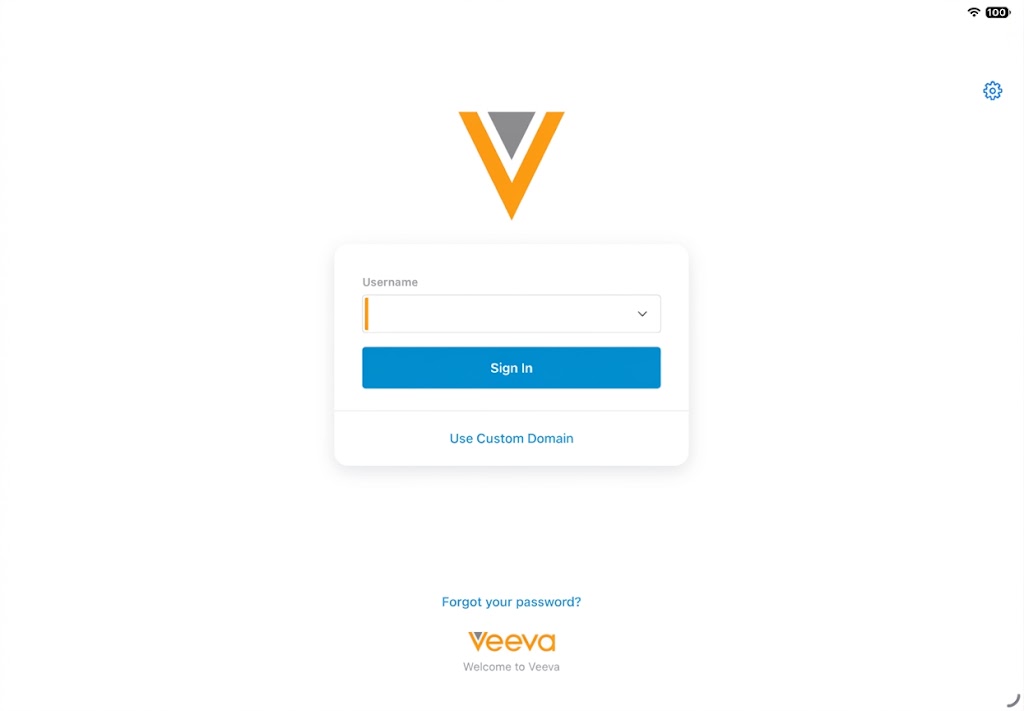
| iPad, iPhone | The standard Veeva CRM login process is now a two-step process with the username and password entered on their own pages. Additionally, a gear icon displays with a dropdown menu to switch between available environments. | 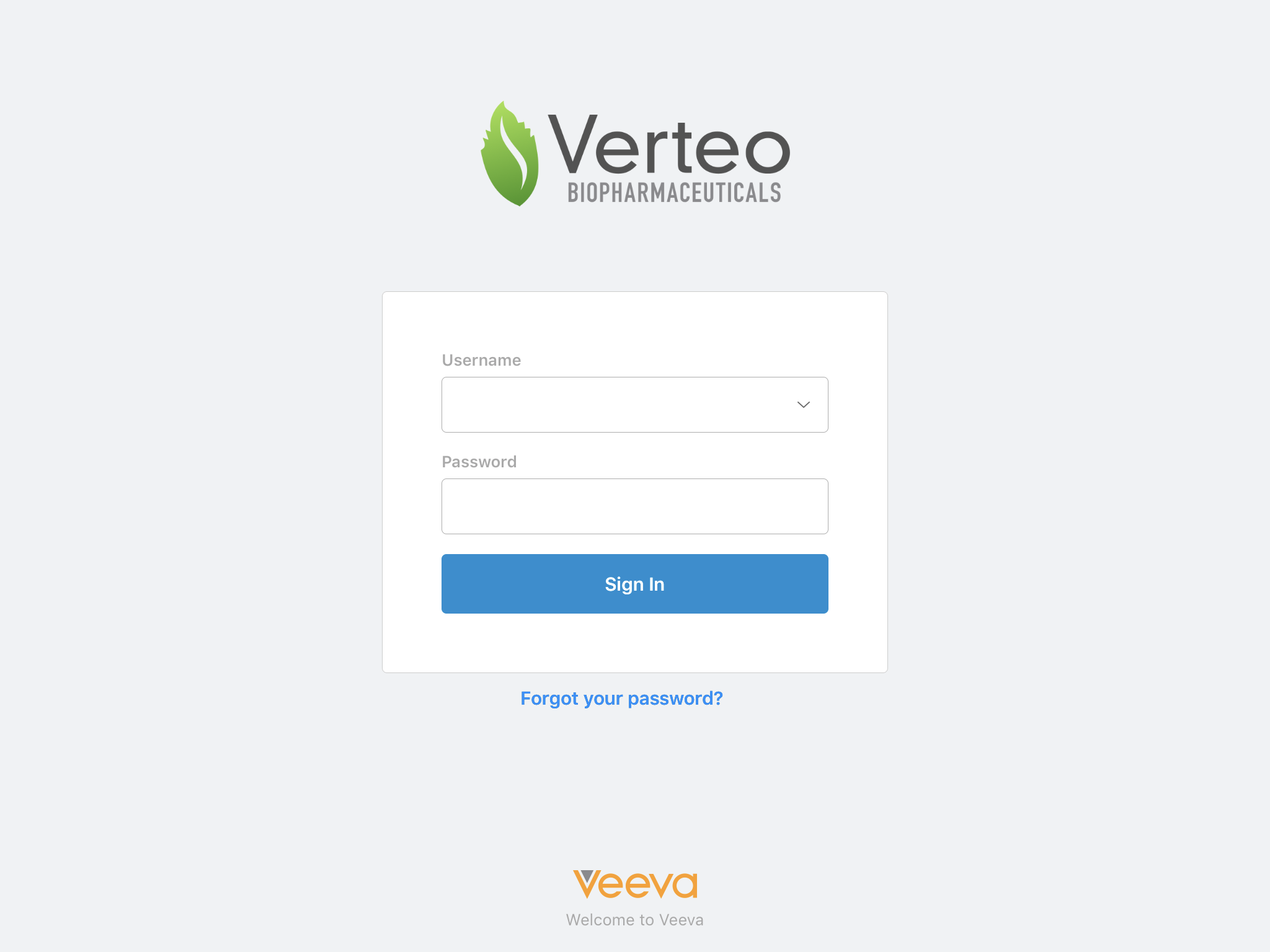
|
|
|
iPad, iPhone |
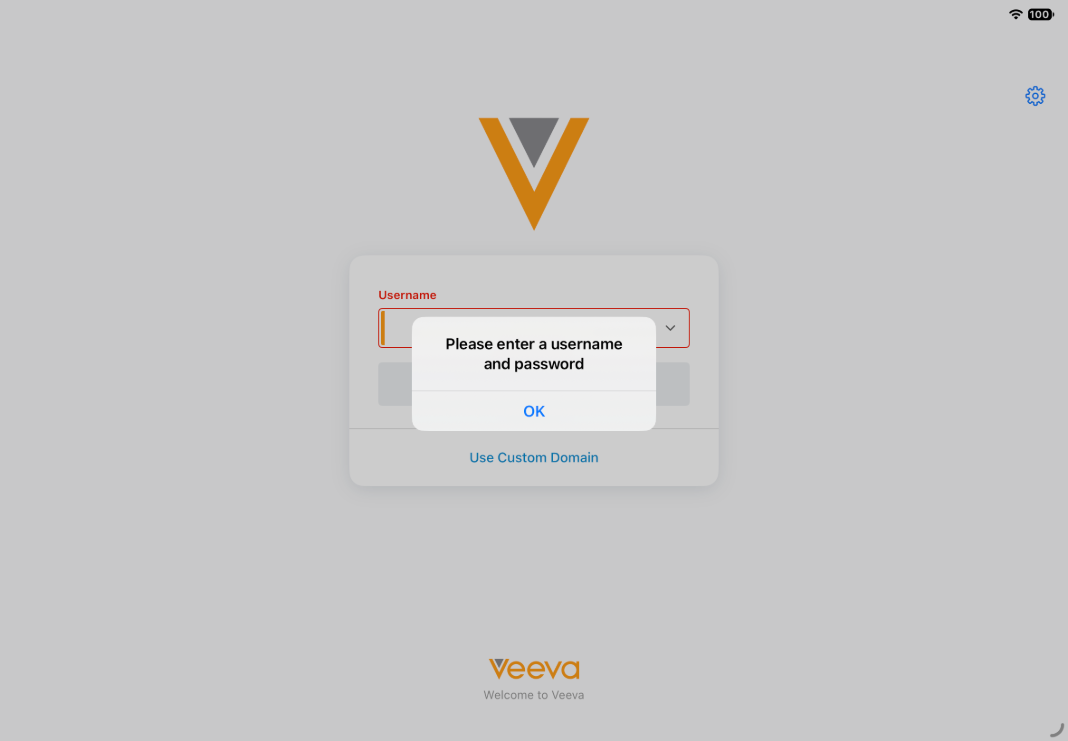
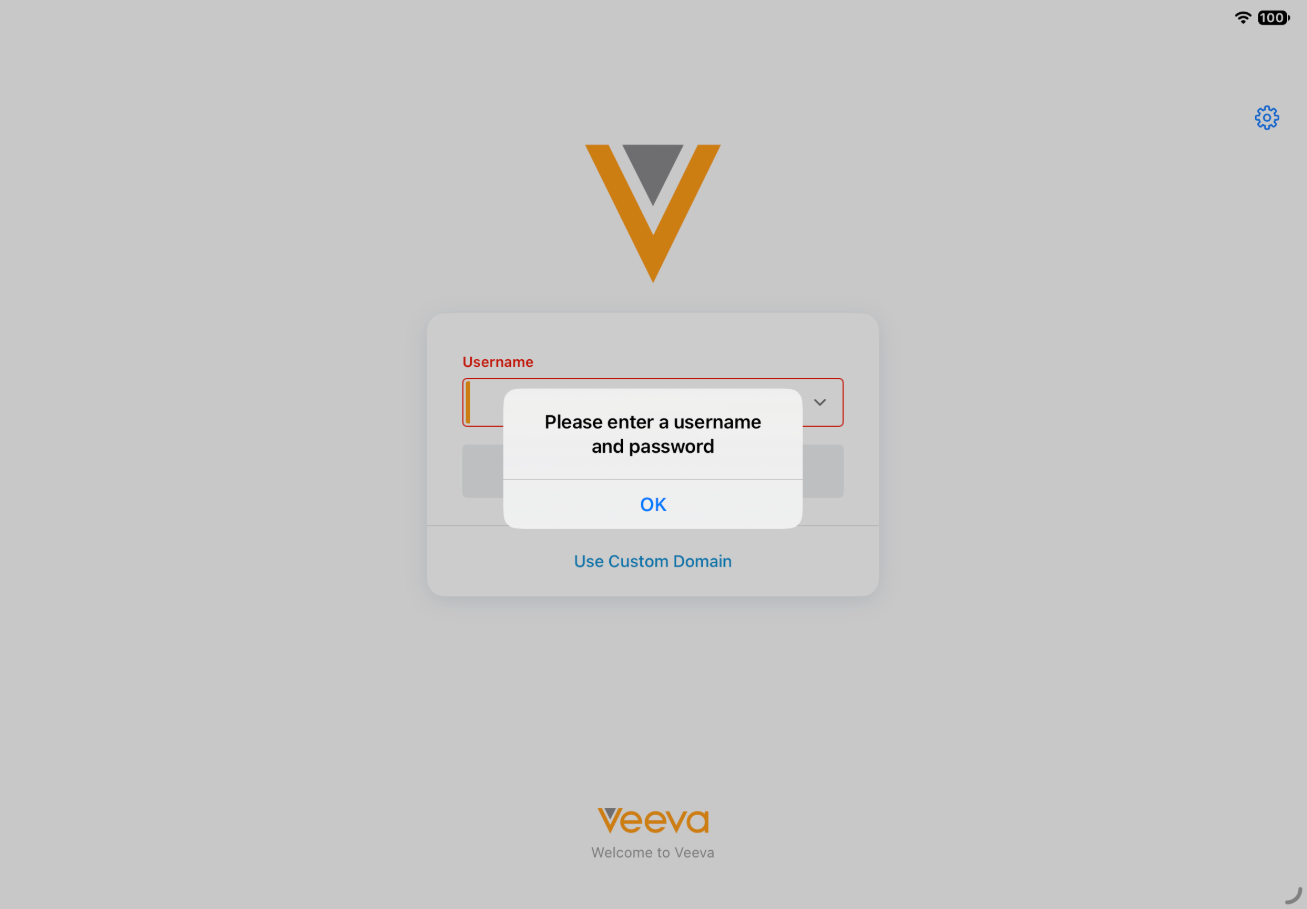
The error message when attempting to log in with an empty username field is updated. |
|
|
Additional Resources
26R3.0 Feature Enablement and Availability
New functionality introduced in the Veeva CRM 26R3.0 release is available:
|
CRM Feature Availability and Enablement |
|||||||
|---|---|---|---|---|---|---|---|
|
Feature |
User Visible Change |
Configuration Required |
Browser |
CRM Desktop (Mac) |
CRM Desktop (Windows) |
iPad |
iPhone |
|
Data Grid Loader for Recommended Email – Available on Browser and CRM Desktop (Windows) |
No |
Yes |
|
|
|
|
|
|
Updates to Anonymous Activity Tracking Behavior – Available on Browser, iPad, and iPhone |
Yes |
No |
|

|
|

|
|
New Objects
No new objects were added in Veeva CRM 26R3.0.
New Fields
No new fields were added in Veeva CRM 26R3.0.

