

What's New In 26R1.0
The CRM 26R1.0 major release includes new features, as well as User Visible and Behavior Changes.
- Sandbox Release - April 16, 2026
- Production Release - April 30, 2026
Our release notes offer brief, high-level descriptions of enhancements and new features. Configuration is available by selecting the feature name. You can also find a quick overview of 26R1.0 Feature Enablement and Availability information in this release note.
New Fields and New Objects are also included.
Announcements
Changes to Salesforce Security Control Requirements
Salesforce plans to require the implementation of additional security controls and settings. Take the following actions to ensure your settings meet Salesforce’s security requirements:
- Require Multifactor Authentication (MFA): MFA is mandatory for all Production Orgs as of June 2026. Customers must ensure that MFA is fully set up. While in the past Veeva was able to request a 90-day rollback for customers, Salesforce will no longer approve these requests.
- Ensure all System Administrator users adopt phishing-resistant MFA for login: While not mandatory, all System Administrator users are strongly encouraged to adopt phishing-resistant MFA for login. This is considered a security best practice to protect your most privileged accounts.
- Restrict login IP addresses in profiles: Beginning with the Winter '26 release, Salesforce will enforce limits on login IP ranges for specific profiles. If your organization uses profile-level IP restrictions, we recommend reviewing your current configurations now to ensure they will remain within the new limits.
The following items are standard security best practices that all customers should continue to follow:
- Enable a Transaction Security Policy (TSP) that restricts large data exports
- Avoid connecting from anonymizing proxies or high-risk IP addresses
For more details on these updates, refer to Salesforce’s New Security Control Requirements page. This page is updated regularly — we encourage you to monitor the Change Log table there for the latest information.
If you have any questions or concerns, please reach out to Veeva Support.
Features
Using Engage and CRM Desktop features in a Sandbox org requires additional configuration. When a Sandbox org is created or refreshed, create a support ticket to request the configuration update. Follow the instructions here.
The 26R1.0 release includes features from the following minor release:
Engage
Attendance Reporting for Zoom Meetings - Available on Browser and iPad
Attendance reporting for Zoom meetings is an automated process to capture attendee data from Zoom and store it in Veeva CRM, enabling admins to analyze and report on metrics for Zoom meetings.
To ensure Microsoft Teams meeting data is accurate for reporting, Veeva CRM automatically attempts to reconcile Microsoft Teams attendees with the correct accounts and users after a meeting ends, allowing users to quickly review and manually update any attendees without an automatic match. This process saves end users time by matching data received from Microsoft Teams directly to records in Veeva CRM.
Reconciling Zoom Meeting Attendees with Accounts and Users - Available on Browser and iPad
To ensure Zoom meeting data is accurate for reporting, Veeva CRM automatically attempts to reconcile Zoom attendees with the correct accounts and users after a meeting ends, allowing users to quickly review and manually update any attendees without an automatic match. This process saves end users time by matching data received from Zoom directly to records in Veeva CRM.
Sync
Sample Limit Sync Enhancements - Available on iPad and iPhone
Sample Limit record updates made by other users that impact end users’ in-territory accounts are now included in autosync, ensuring changes are reflected quickly and helping to prevent oversampling.
User Visible and Behavior Changes (UVCs)
Most new functionality requires some configuration, however users are able to use the following functionality immediately. Select the thumbnail to view a larger image.
Account Management
|
Platform |
Description |
Before |
After |
|---|---|---|---|
|
Browser, iPad |
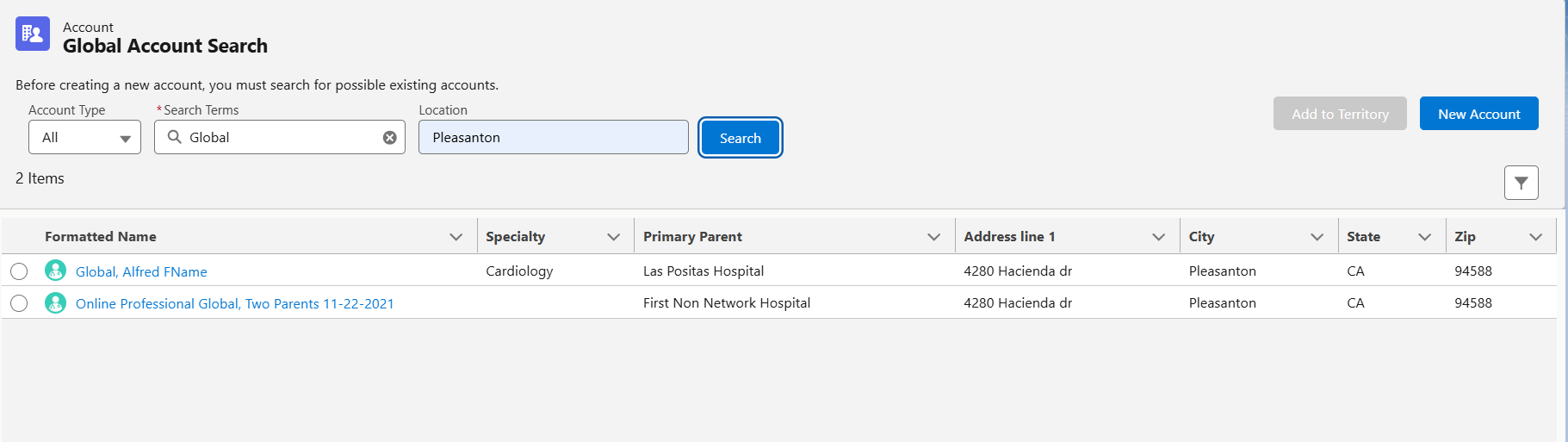
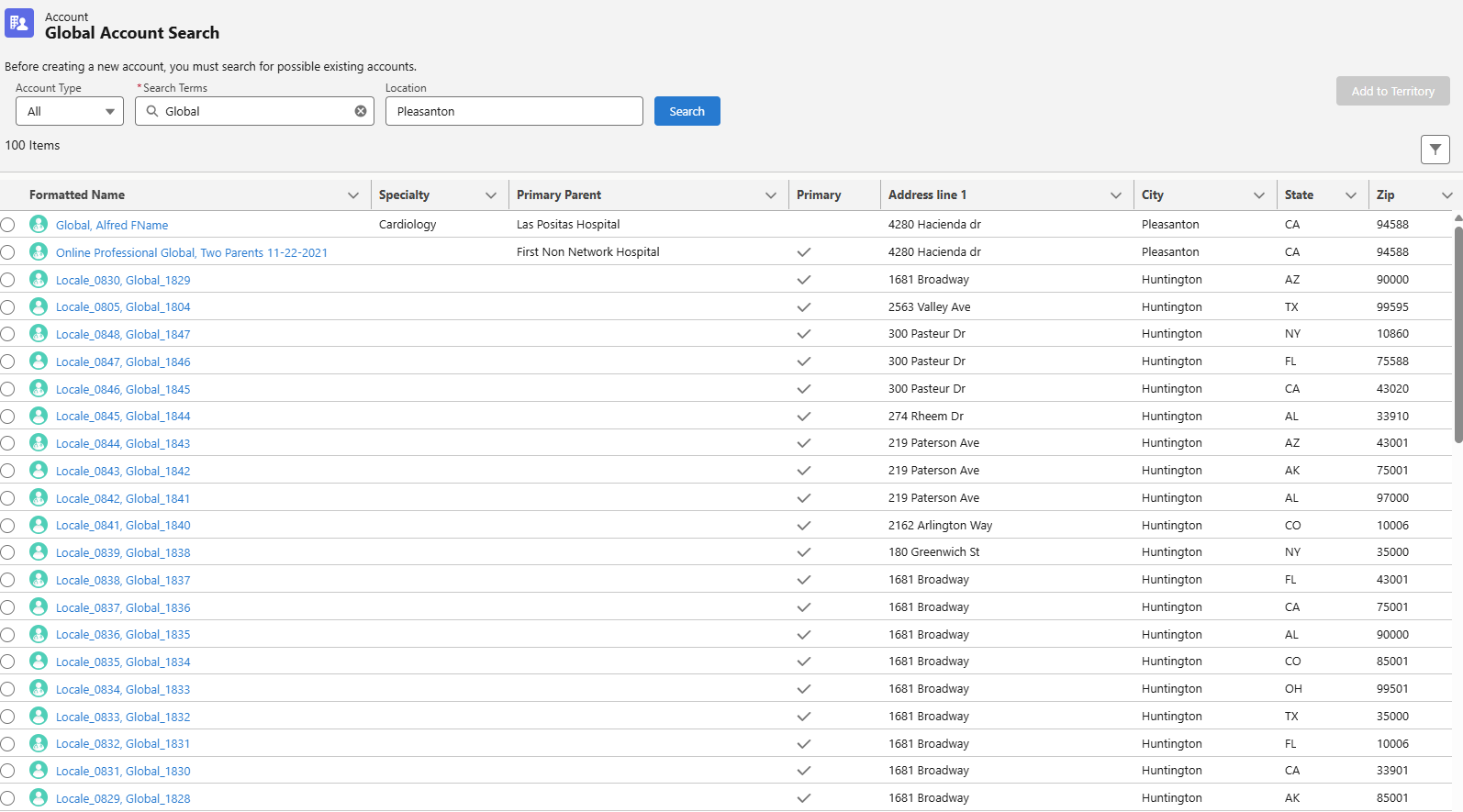
When users enter a Location in the criteria for a Global Account Search, the Accounts that match the location and the other search criteria are now sorted at the top of the list, and the Account that match the other criteria, but not the Location, are sorted underneath those items. |
|
|
Call Reporting
|
Platform |
Description |
Before |
After |
|---|---|---|---|
|
Browser, iPad, iPhone |
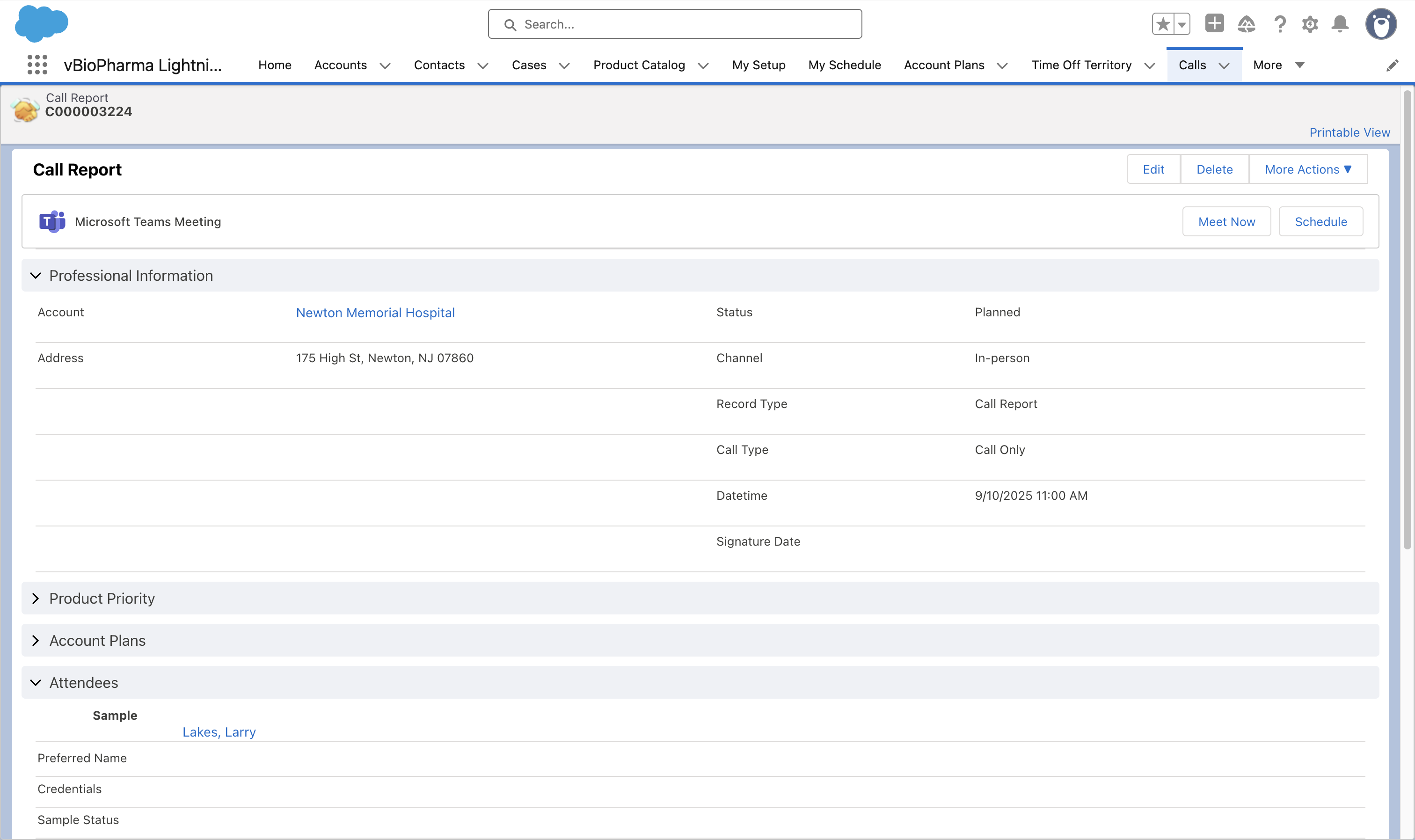
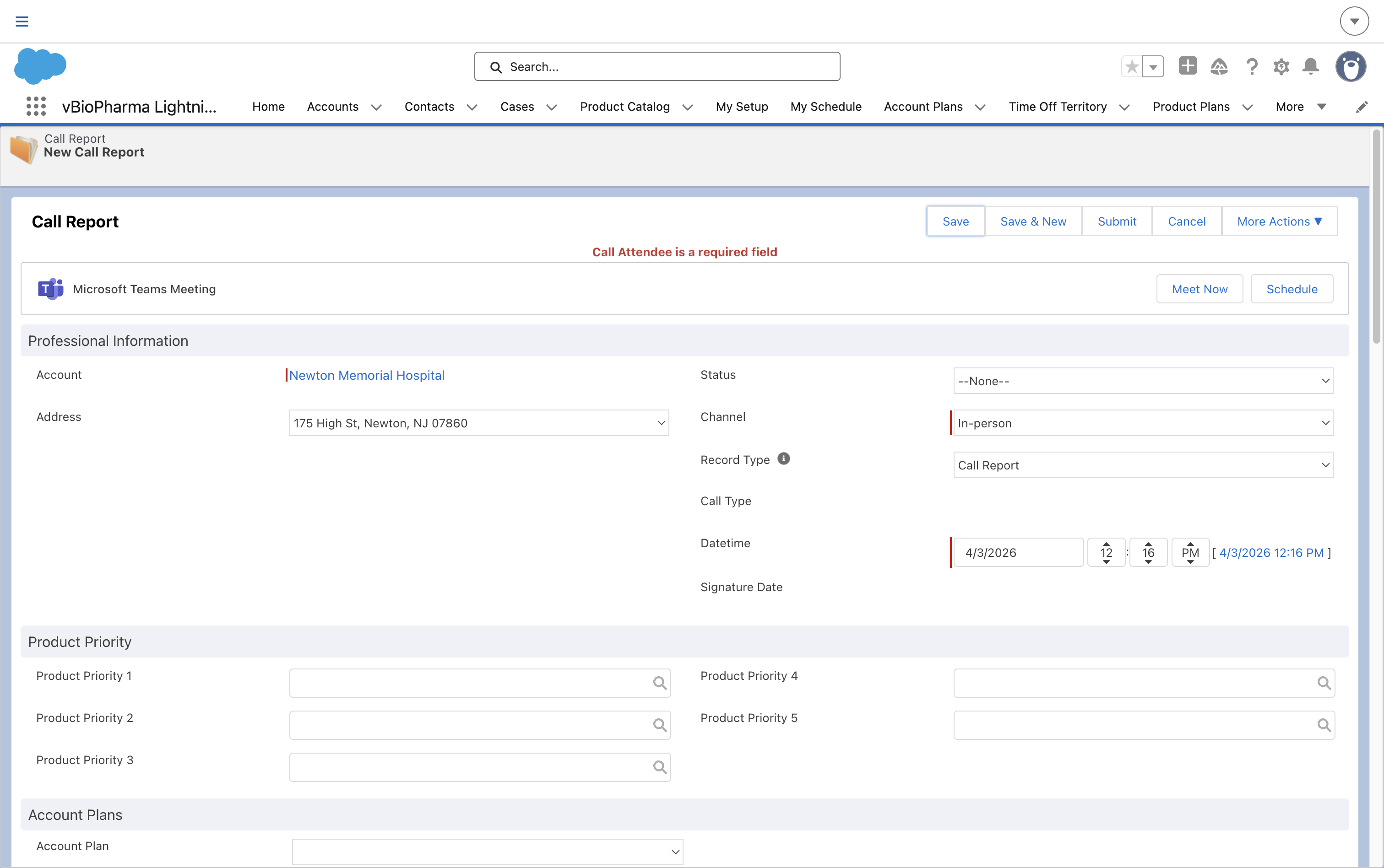
Users must add at least one person account as an attendee on standard group calls and unique activities group calls, when the Attendees Optional section signal is not enabled. If only Contact or User attendees are included, an error displays. |
|
|
26R1.0 Feature Enablement and Availability
New functionality introduced in the Veeva CRM 26R1.0 release is available:
|
CRM Feature Availability and Enablement |
|||||||
|---|---|---|---|---|---|---|---|
|
Feature |
User Visible Change |
Configuration Required |
Browser |
CRM Desktop (Mac) |
CRM Desktop (Windows) |
iPad |
iPhone |
|
Engage |
|||||||
|
Attendance Reporting for Zoom Meetings - Available on Browser and iPad |
No |
Yes |

|

|
|
|
|
|
No |
Yes |
|
|
|
|
|
|
|
Reconciling Zoom Meeting Attendees with Accounts and Users - Available on Browser and iPad |
No |
Yes |
|
|
|
|
|
|
Sync |
|||||||
|
Sample Limit Sync Enhancements - Available on iPad and iPhone |
No | No |
|
|
|
|
|
* Parity items do not typically require configuration if you are using this functionality on another platform. In some cases, VMOCs must be enabled for the added platform.
New Objects
No new objects were added in Veeva CRM 26R1.0.
New Fields
No new fields were added in Veeva CRM 26R1.0.

